
TL;DR / Key Takeaways
- The platform was not the main problem. The missing operational workflow was.
- Growth does not break a business. Multiple disconnected apps do.
- Retailer trust can erode long before revenue drops.
- A customer support platform keeps your brand's reputation.
- The right time to migrate is before the breakdown, not during it.
- An ERP connects orders, inventory, purchasing, customers, and reporting behind the storefront.
A retailer sends an email:
“Where is the order I placed three weeks ago?”
Nobody can answer.
The order may have been placed through the website. Or it may have been sent directly by email. Both intake paths lead to different places. Neither gives the team one clear view of what has been ordered, what has shipped, and what is still waiting.
This is how a growing wholesale business can lose control without realizing it.
The storefront may look fine. Sales may still be increasing. But behind the scenes, staff are checking email, updating spreadsheets, asking the warehouse for stock counts, and searching for order details.
At some point, the business is no longer managing orders. It is managing confusion.
The Growth Story In Four Phases
Phase 1: The Platform Was Chosen For Design
The business began with two owners working from a small basement.
The priority was a polished, customized high-concept website. WooCommerce was a reasonable choice for that stage. It offered flexibility and allowed the storefront to look and work the way the business wanted.
At low order volume, the process seemed manageable.
Orders came in. Someone checked the inbox. Someone else prepared the shipment. Questions were answered as they appeared.
The system worked because the founders held most of the information in their heads.
Phase 2: Growth Outruns The Setup
Over time, the business grew from a small operation into a wholesale distributor with a 10,000-square-foot warehouse.
The team added four employees in two years.
That growth changed the business. There were more products, more retailer accounts, more shipments, and more people involved in each order.
But the operating process underneath remained mostly the same.
The business had scaled its sales and warehouse footprint. It had not scaled its information flow.
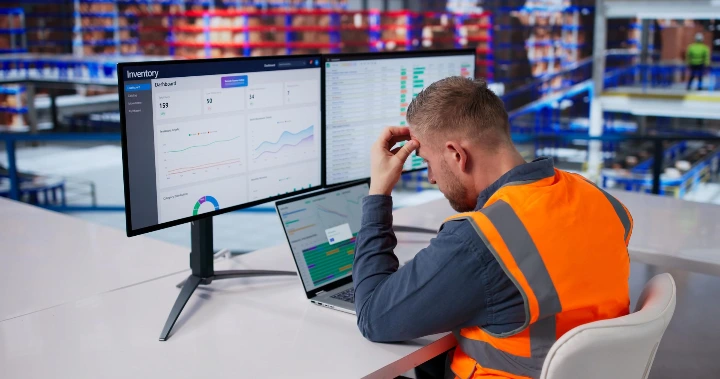
Phase 3: Two Intake Paths, No Single Source Of Information
Orders were placed in two ways:
- Through the e-commerce website
- Directly through email
The email orders were managed in a shared email dashboard instead of the e-commerce platform.
That meant order details sat next to:
- Invoices
- Shipping questions
- Product complaints
- Retailer follow-ups
- Internal requests
The inbox became the working system.
This created a serious problem: an email could be read, missed, buried, or handled without the rest of the team knowing what happened.
The website showed one part of the business. The inbox showed another. The warehouse had its own physical reality.
None of these views were guaranteed to match.
Phase 4: The Cracks Become Visible
A bad batch of products reached end customers.
Because the business sold through retailers rather than directly to consumers, those complaints came back through the retailer relationships. They landed in the same shared inbox as orders and shipping questions.
There was no help desk or customer support platform to capture, route, and track each issue.
Some messages were seen too late. Others were mixed in with unrelated emails. The business had no reliable way to see which problems were assigned, which were being handled, and which were still unanswered.
At the same time, inventory data drifted away from what was physically available in the warehouse.
Retailers began asking about orders placed weeks earlier. Some had been waiting nearly a month for shipments that had never gone out.
The problem was not one missed email or one inventory mistake.
It was the operating model.
The Real Diagnosis: Four Failures, One Cause
The visible problems looked separate. They were connected by the same underlying issue: important work was spread across disconnected tools and informal processes.
The fix was not adding more apps. It was building one operational core, which is why many growing teams eventually look at a consolidating software stack ERP approach instead of patching more tools together.
1. Orders Were Split Across Two Channels
Website orders and email orders did not flow into one reliable system of record.
Result: Staff could not quickly confirm the complete order picture.
2. Inventory Did Not Match The Warehouse
The business lacked a dependable connection between what the system said was available and what was physically on hand.
Result: Orders were delayed, backordered, or missed.
3. Nobody Had A Complete Order View
There was no simple path from order placement to fulfillment and delivery.
Result: Retailers had to ask for updates instead of receiving them.
4. Coordination Labor Grew With Revenue
More sales required more manual checking, follow-up, and correction.
Result: Hiring became a way to keep up with broken coordination rather than a way to create new capacity.'
This is why ERP readiness should not be measured only by revenue.
A more useful test is this:
If cross-tool coordination takes more than 20% of key employees’ weekly bandwidth, the business is entering the ideal window for an ERP transition.
That is the point where the cost of waiting can become greater than the cost of changing.
Why Businesses Wait
The business hesitated for one to two years before seriously considering a platform change.
That hesitation is common.
Founders often think:
“If the website still works, why rebuild it?”
The website may still accept orders. Customers may still be able to browse products. The storefront may not appear broken.
But the business behind the storefront may already be under strain.
The hidden costs include:
- Employees spending hours searching for information
- Retailers losing confidence in delivery promises
- Customers waiting too long for support
- Inventory decisions based on outdated data
- Founders becoming the human connection between every department
These costs do not always appear as one large expense. They accumulate quietly through lost time, delayed orders, refunds, replacement shipments, and damaged relationships.
The Right Time To Migrate
The Right Time To Migrate Is Before The Breakdown, Not During It.
Waiting until orders are already lost, retailers are already frustrated, and staff are already overwhelmed makes migration harder.
The business has less time to plan. Data is less reliable. Employees are already busy managing emergencies. Customers are already feeling the effects.
A better time to evaluate migration is when the warning signs first become consistent:
- Orders come through multiple channels
- Inventory requires frequent manual correction
- Employees cannot answer order-status questions quickly
- Support requests disappear in shared inboxes
- More staff are added mainly to coordinate existing work
- Reporting requires gathering information from several tools
Migration does not need to happen the moment one problem appears.
But the evaluation should start before the business reaches a crisis.
The Reputation Cost Nobody Budgeted For
A bad product batch is an inventory issue.
An unanswered complaint is a brand issue.
When a customer reports a problem and receives no response, they do not care which inbox received the message. They experience the silence as a lack of care.
For a wholesaler, the damage can spread through retailer relationships. Retailers are not only selling the product. They are also carrying the risk of customer dissatisfaction.
A proper customer support platform helps prevent that silence.
The goal is not to collect more software features. The goal is to make sure every important issue is:
- Captured when it arrives
- Sent to the person responsible
- Tracked until it is resolved
That process can turn an ignored complaint into a handled conversation.
It can protect a retailer relationship. It can reduce repeat messages. It can help the business identify patterns before they become larger product or quality problems.
Support is part of the customer experience, even when the business does not sell directly to the end customer.
Signs you outgrew your ecommerce plaftorm
Common signs include:
- Inventory requires frequent manual updates
- Orders are managed outside the platform
- Staff cannot see the full fulfillment process
- Plugins and custom fixes are becoming difficult to maintain
- Support requests are mixed with order emails
- Administrative work grows faster than revenue
What Is An ERP?
Many founders know Shopify, WooCommerce, or BigCommerce.
They may not know what an ERP is.
An ERP, or enterprise resource planning system, is the operational core behind a business.
For a wholesaler, it can connect:
- Orders
- Inventory
- Purchasing
- Customers
- Fulfillment
- Invoicing
- Reporting
Think of the e-commerce platform as the storefront.
It is what buyers see. It displays products, collects orders, and supports the buying experience.
ERP for wholesale distribution is the operating system behind the storefront.
It helps the business decide what is available, what needs to be purchased, which orders should be fulfilled, what customers are owed, and where work stands.
You do not always need to replace a good storefront to gain a stronger operational core.
A business can keep a well-designed Shopify, WooCommerce, or BigCommerce website while connecting it to a unified system behind the scenes. In other situations, a platform migration such as WooCommerce to Odoo may make sense because the storefront and operations both need to change.
The right answer depends on where the real constraint exists.
What A Unified System Actually Fixes
A unified system should create business outcomes, not simply add another dashboard.
In practice, that often means the business gains an order and inventory management system that gives the team one clear operational view instead of scattered updates across inboxes and spreadsheets.
It should help provide:
- Order visibility: See website and email orders from placement through delivery.
- Inventory confidence: Make decisions based on stock that reflects the warehouse.
- Faster support: Route customer and retailer issues to the person who can resolve them.
- Recovered capacity: Reduce the coordination work required to process each order.
- Stronger relationships: Give retailers clear answers before frustration becomes lost business.
The goal is not to make the business more complicated.
The goal is to make the actual work easier to see and manage.
Frequently Asked Questions
Which e-commerce platform is best for wholesale?
There is no single best platform for every wholesaler.
Shopify, WooCommerce, and BigCommerce can all support different wholesale models. The better question is whether the platform can connect cleanly to inventory, pricing, fulfillment, customer accounts, and reporting.
For some businesses, optimizing the current storefront is enough. For others, a wholesale distribution e-commerce platform connected to an ERP is a better fit.
Is there a platform that truly caters to B2B/wholesale?
Some platforms are built with stronger B2B tools, but the platform alone does not solve operational problems.
Wholesale businesses also need accurate inventory, customer-specific pricing, order visibility, payment terms, fulfillment control, and support processes.
A strong storefront paired with a reliable operational core is often more important than choosing a platform based on its label.
What are the best wholesale e-commerce platforms for B2B businesses?
The best option depends on order volume, product complexity, customer pricing, warehouse needs, and existing systems.
Shopify, BigCommerce, WooCommerce, and ERP-connected commerce platforms can all be appropriate in different situations.
Start by mapping the full order process before comparing platforms.
When to migrate vs. optimize your e-commerce platform?
Optimize when the platform is sound and the problems are related to design, speed, configuration, data quality, or manageable integrations.
Migrate when orders, inventory, support, and reporting are disconnected, or when fixing the current platform requires constant manual work.
The key question is not, “Is the website still online?”
It is, “Can the business operate reliably as volume grows?”
What is an ERP and do I need one for wholesale distribution?
For a smaller operation, an order and inventory management system for small business may be the right first step before moving into a broader ERP structure.
An ERP connects core business operations in one place.
You may need an ERP for wholesale distribution when cross-tool coordination consumes more than 20% of key employees’ weekly bandwidth, inventory accuracy is becoming a problem, or the team cannot reliably track orders from placement to delivery.
The right time to evaluate one is before the business reaches a full breakdown.
Start With An Order Flow Audit
Before choosing a new platform, map how an order moves through the business.
Ask:
- Where can an order enter?
- Where is it recorded?
- Who confirms inventory?
- Who owns fulfillment?
- How does the retailer get an update?
- Where do complaints go?
- How does management know what is delayed?
If the answers depend on searching several tools or asking one person who “knows how things work,” the problem may be larger than e-commerce optimization.

Audit Your Order Flow
Identify where information is being lost, delayed, or duplicated.
The right time to migrate is before the breakdown, not during it. A strong operational foundation gives a growing wholesaler room to serve more customers without adding the same amount of manual coordination.
Schedule Free Professional Audit